
Are you interested in using your voice to make money? This comprehensive, step-by-step breakdown will guide you through the process of launching a successful voice acting career in 2025, covering everything you need to get started in the industry.
Before diving in, let’s debunk a common myth: having a great voice alone does not guarantee success in the voice acting industry. A thriving career requires ambition, refined talent and business acumen.
In this article
- What are the Benefits of Starting a Voice Acting Career?
- What Qualifications Do You Need to Be a Voice Actor?
- What Are the Challenges of a Voice Acting Career?
- Voice Over Coaching and Training
- How Much Money Do Voice Actors Make?
- Setting Up Your Home Recording Studio
- Pro Tips for Voice Over Business Development When Getting Into a Voice Acting Career
- How to Find Voice Over Work
- Tips on Auditioning for Voice Over Jobs
- Putting the Pieces Together for a Voice Acting Career
- In Summary
Assuming you’ve pondered the idea of becoming a voice actor, bear in mind that this career path demands thoughtful deliberation. Just like any significant career shift, it’s essential to assess its suitability for you.
What are the Benefits of Starting a Voice Acting Career?
Voice acting offers not only the freedom to work from anywhere but also the opportunity to create a rewarding career focused on creativity and artistic expression, along with many other benefits for a voice over artist.
The Impact You Make by Lending Your Voice to Projects Around the World
Even small voice over projects can make a big splash. Every client you work for, whether it’s an international powerhouse or a local small business, is made better by the voice over you provide. It can be extremely fulfilling to witness what success is achieved with your help. Voice over artists have expressed this fulfillment time and time again, and it’s often paired with another benefit of being a voice actor: continuous learning.
Voice over artists commit themselves to understanding the content in a script so they can speak about it from an informed place. Many voice actors love how their career opens the doors to learning about aspects of all kinds of industries they would otherwise never come into contact with. For instance, voicing an eLearning module about mechanical presses in the morning and recording a voice over for an online recipe video in the afternoon.
The Voice Acting Community and the Amazing Clients
As you begin to book projects and build a portfolio, you’ll be connecting with producers and coordinators who can very easily become repeat clients if you employ some simple rapport-building tactics. Before you know it, you can be working with the producers responsible for Coca-Cola’s international campaigns.
Connecting with other voice actors is equally essential. Engaging in this type of networking is crucial, as it allows you to meet others who are willing to share valuable insights about the industry, including business, technical and artistic advice. Additionally, voice actors often recommend their peers for roles when they feel someone else might be a better fit.
Many voice actors report feeling that the voice over community plays a major role in the fulfillment that they experience. Attending VO workshops and other events (virtual or otherwise) are great ways to start meeting other VO artists to build your support and referral network.
Ability To Work From Anywhere, on Your Schedule
By far, one of the most appealing aspects of the voice over industry is the ability to work from anywhere that has an internet connection and on a schedule that works for you.
Many of the most successful freelance professional voice actors on Voices have expressed gratitude for their ability to create a work-life balance that works for their family or their personal schedule.
Freedom to Make as Much Money as You Like
Voice actors are often entrepreneurs. Their voice is their business and they treat it as such. When you are your own boss, the sky’s the limit on how much you can make. Of course, that’s not to say that becoming a successful voice actor is easy. As a business owner, be prepared to work hard and learn a lot in the process.
What Qualifications Do You Need to Be a Voice Actor?
To become a voice actor, you need a special combination of talent and skill. Although a formal degree isn’t necessary, having excellent vocal abilities is key. This means you should have a clear and resonant voice, good diction and the capability to adjust your tone and pitch for different characters or styles. In addition to vocal talent, aspiring voice actors should have a strong sense of acting to convincingly express a range of emotions and personalities. Moreover, being able to read and interpret scripts effectively is vital for delivering performances accurately.
Taking acting classes can significantly enhance your acting skills, making you more versatile and opening up more opportunities in the industry.
To improve their odds of success, many voice actors seek further education in acting, vocal skills and proper behavior in recording studios. Creating an impressive demo reel that highlights their range is crucial for drawing in potential clients. Although the journey to becoming a voice actor can be tough, commitment, practice and a love for storytelling are essential elements for anyone looking to thrive in this exciting industry.
What Are the Challenges of a Voice Acting Career?
Getting started in a voice over career has its costs, not all of which are monetary. Here’s an overview of some of the common challenges faced by newcomers to the industry.
Time Costs
From getting coaching to setting up your home studio, to learning about audio production, to prospecting jobs and auditioning, the amount of time you’ll spend preparing for your first booked jobs may be longer than you anticipate.
Sometimes, beginner voice actors book their first jobs within their first month, while others can spend much more time seeking out those first few gigs. Be patient, self-reflective and willing to explore your vocal capabilities.
Voice actor Sara Kmiecik was featured in a Success Story because of her persistence. After 89 auditions, she booked her first gig and couldn’t be more proud of herself!
Isolation and Emotional Costs
Being inside the booth for hours a day has been described as isolating, even by voice actors who are well into their careers. That’s why it’s important to balance your booth time with other activities and engage in the voice over community through social media groups, conferences, Meetups, etc. There are other ways to protect your mental health as well, like meditation and physical exercise.
Audiobook narrator Ilyana Kadushin recommends taking frequent tea breaks, taking time to close your eyes and rest your mind, and paying attention to your posture and positioning in the booth. All of these suggestions not only help protect your voice but also help to protect your state of mind and help you avoid burnout.
Monetary Costs
The monetary costs of running a voice acting business can vary depending on your lifestyle and whether you’re looking to make it a full-time job or a part-time side income. If you’re looking to pursue VO in a full-time capacity, a high-quality home studio, professional-grade equipment and an understanding of general business and marketing practices are all investments that are required when launching this exciting career.
For Countless People Around the World, the Pros of Voice Acting Outweigh the Cons
There are so many other advantages to being a voice actor, like being your own boss, working from home and going to work in your pajamas. For many people, these attractive working conditions outweigh the sometimes stressful situations posed by working in an industry known for high competition and lightning-speed turnaround times.
At the end of the day, becoming a voice over artist is a unique career path that is sure to expose you to new people, new thoughts and knowledge in new areas that you would have never expected. It’s the perfect career for the neverending learner.
Voice Over Coaching and Training
When getting started in the voice acting industry, you simply don’t know what you don’t know. You may have a natural talent for voice over, but the most successful voice actors will attest that education is still crucial to success and essential for achieving a successful career. There is so much value in attending training sessions and hiring a coach.

Vocal coaches are industry gurus who can expose you to techniques, concepts and tactics you would have never thought of otherwise. They can broaden your horizons in ways that help you become more connected with your talent and then turn your upgraded skills into dollars.
What’s more is that in this digital age, many voice coaches are making their services available via video chats — so voice actors and coaches can connect like never before, from anywhere around the world.
Voice Over Coaches Provide All Types and Levels of Training
Many voice over coaches offer generalized training for beginners, but there are a plethora of coaches who offer specialized training in every niche you can think of. They can help with audio production education, demo production, accent training or reduction, character voice development, marketing your services and so much more.
Whether you’re just starting or you’ve had many years of experience in the voice over industry, everyone can benefit from continuous learning. To learn more about how to choose the best voice coach — and what services voice coaches offer — check out our Selecting a Voice Coach article.
How Much Money Do Voice Actors Make?
Voice over industry rates and how to quote for jobs is a tough topic. Yet, it’s a vital part of the equation when getting started. The fact of the matter is that you’re in control of your salary figures. If you’re asking yourself “How much do voice actors make?” then you might want to see an estimate of voice actor salaries.
Especially when you’re just starting, there can be a temptation to quote lower in an attempt to edge out the competition, but your voice over skills are worth more than the “low-ball” rate — and clients know that too!
There are many considerations to take into account when calculating what you should charge for your services. The best place to start is by understanding the voice over business model. From the perspective of break-even and profitability, you need to factor in the costs associated with running your business and managing your career. This includes your studio space and the equipment you use, education and training, industry experience and portfolio and more.
Only once you understand your expenses will you understand what it will take to make a profit.
At a bare minimum, the salary expectation you set for yourself needs to account for those costs (and others) associated with conducting business.
As you gain experience, build your client base and referral network and complete jobs for more notable brands, your salary will increase too. Voice actors who have more of an established presence, a higher reputation and more notable clients in their portfolio can set higher rates.
And sometimes it comes down to confidence. It can take some self-assurance to recognize when you’re worth more and follow through on increasing your minimum rates to command a higher salary. Learn more about what factors into job quotes and voice actors’ salaries in our Beginners Guide to Voice Acting and the guide to setting your rates this year.
Setting Up Your Home Recording Studio
A voice over home studio is essential to enabling you to produce high-quality work for your clients. If you’re interested in building a recording studio in your home, step one is to assess which rooms or locations would make the most suitable recording space.

This may not be as daunting as it sounds, because a recording studio only needs to be large enough for you to comfortably sit in. People can get quite creative with which spaces they convert into voice over studios — from garages to closets, you’d be surprised what can work for you.
Additionally, creating a professional-grade studio doesn’t have to break the bank. In this article, we’ve included sound advice from audio experts on where you should spend money and where you can save money when setting up a recording studio on a budget.
Tips for saving money on your home studio build:
- Soundproofing and insulation don’t have to be expensive. You can use really heavy blankets or comforters to absorb any unwanted sounds.
- With recording equipment, more expensive doesn’t always equal better. Plus, recording gear can also be purchased secondhand and/or upgraded as you go.
- Your home studio space can be as simple as a closet. As long as it is quiet and allows you to give a professional quality read every time, it doesn’t matter where your home studio is.
Soundproofing Your Home Recording Studio
Regardless of whether you choose to spend or save on the cost of building your home recording studio, there is one important step that is often overlooked: soundproofing your studio.
Soundproofing is one of the most important considerations for those who wish to set themselves apart with professional sound quality, as well as those who wish to save valuable time. Imagine how much time and frustration you would save if you could reduce the number of unwanted sounds you had to edit out after recording your track.
Ways to Effectively Soundproof Your Recording Studio
It helps to remember that soundproofing has three key phases, all of which must work together to create the perfect voice over environment. Specifically, soundproofing needs to address:
- Filtering out unwanted external sound
- Insulating the studio space
- Setting up measures to handle any remaining noise
Choosing Your Voice Over Microphone
There are a lot of different microphones available on the market and about ten times as many opinions over which microphone is best. However, the process of choosing a mic must be tailored toward which one best suits your unique voice. You could have a low-pitched voice, a raspy voice or a booming voice. Each may need a different microphone.
It’s worth shopping around to discover all of the options before making such an important purchase. Keep in mind that the most expensive mic doesn’t necessarily mean it’s the best for your voice.
Key Tips to Finding the Best Voice Over Microphone for Your Voice
- Try many types and brands of microphones before you settle on one
- Test out your mic in the space you will be using it
- Choose one that highlights the great details of your voice
- Stay away from handheld mics
You can also get advice from savvy audio experts who will be able to steer you in the right direction when it comes to choosing the right microphone.
Choosing the Best Headphones
Spend a bit of your studio setup budget on a good set of headphones. You can hear if you are making unwanted sounds with your mouth or if there is any other interference by using headphones while recording.
You will want to get a good pair of over-the-ear headphones (don’t use earbuds!) that are comfortable and allow you to hear yourself at a comfortable audio level. A decent pair of headphones will cost anywhere from $100 and up.
Two great examples are:

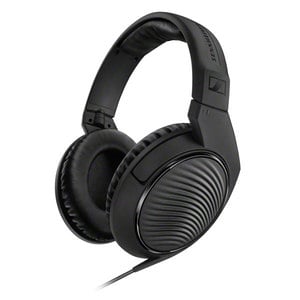
You should also be aware of the difference between closed-back headphones (used for recording tracks) versus open-backed headphones (used for mixing) to know which ones will work best for your needs.
Here is a list of other reputable headphones that voice actors recommend:
- Extreme Isolation EX-29
- Beyerdynamic DT770 Pro
- Beyerdynamic DT990 Pro
- Focal Spirit Professional
- Shure SRH 1540
- AKG K 701
Software Requirements for Getting Into Voice Acting
Once you have your perfect microphone and headphones, it’s time to think about the software you will use to create professional-grade recordings. Recording quality is incredibly important, as your voice over demos and auditions need to highlight your vocal skills, underscore your professionalism and ultimately ensure that you stand out.
Recording Software for Voice Actors
Some popular recording programs/software include:
- Adobe Audition
- Audacity (Free)
- Pro Tools
- Sound Forge
- GarageBand (software comes pre-installed and is free on Macs)
Choosing the Right Recording Software for Voice Acting
You need to consider several factors when choosing the right audio recording program, including cost and compatibility with your computer and equipment.
Because there are many options on the market — ranging from free to notably pricey — we prepared an article specifically on voice over recording software for those who want to go in-depth.
Pro Tips for Voice Over Business Development When Getting Into a Voice Acting Career
Successful voice over artists engage in very specific activities that help set them apart from the rest. They have a definite focus on marketing their skills and business, as well as diversifying the services they offer (which complement their voice over business). Here are some helpful tips on how to market yourself as a voice actor.
Build an Online Presence that Mirrors Your Professionalism
Online presence building includes sharing happy client reviews and being active in relationship management (with clients and voice actor communities alike).
An established online presence helps a potential client feel more confident in their decision to hire a voice actor because it serves as further evidence of their professionalism and skill.
So if you’re auditioning for voice acting jobs, expect potential clients to research you online and make sure your online presence reflects your professional persona.
Don’t Make Celebrity Comparisons
When you’re attempting to market your sound, it can be tempting to make comparisons between yourself and celebrities. For example, listing out known actors that you sound like may seem to be an easy way to help potential clients understand what you bring to the table — except what it actually does is pigeonhole a voice actor into a typecast niche net.
So, rather than compare yourself to a celebrity, consider what vocal qualities made you want to draw this comparison in the first place. These descriptors are your “vocal archetype.” For example, rather than saying you sound like Cate Blanchett, round the description out to say that you have a warm voice, deep voice or authoritative voice.
Don’t know how to describe your voice? Another reason to connect with a voice over coach!
Ask Clients for the Use of Final Projects that You Were a Part Of
A great way to build your portfolio is to request permission to use a final project you’ve contributed to, as a demo that prospective clients can hear. Many successful voice actors say that they always ask!
Remember, the answer is always “no” unless you ask.
Choose Networking Over Cold Calling
Gone are the days of cold calling producers and advertising agencies in an attempt to book work, according to a Voices survey of voice talent. 60% of respondents agreed that this tactic is no longer an acceptable business practice.
What is a viable option, however, is networking with other voice actors — heavily. A voice actor who isn’t quite right for a job they’ve been approached with is likely to recommend another voice actor for the spot instead. Of course, picking up on that mindset and referring other voice actors to jobs you know aren’t quite right for you is a great way to build goodwill between you and that client, as well as you and the other voice talent!
Take a read through the compilation of awesome ideas from other voice actors if you’re looking for more on how to market yourself as a voice actor.
Diversifying Your Service Offerings
It shouldn’t come as a surprise that when you’re able to offer extended services, like post-production editing, you can make more money.
Plus, your client will also be delighted to save money by not having to pay another third party for those additional services. This is the exact advice we received from producers when we asked what they look for in a voice actor:
Two Ideas for diversifying your service offerings:
- Deepen Your Audio Production Abilities As a voice actor, you most likely already have an introductory to intermediate level of knowledge about audio production. Invest in your new revenue stream by taking community college night courses to get some professional-level training. Or, study online. There are countless websites, blogs and forums that discuss audio production and post-production at length.
- Find a Post-Production Partner. Start by researching newly graduated audio production engineers via LinkedIn, Facebook Groups and even College Alumni boards. Establish a working relationship with a post-production partner and agree to work terms so that they can make a living while you get to offer valuable services to a client who needs them.
The same thing can be done for offering translation services! Find out more about translation and other business development strategies.
How to Find Voice Over Work
Getting started in the world of voice acting takes a bit of research and a lot of practice, but if you have the right tips on hand and some sound advice (pun intended), navigating the industry is possible.
The voice over industry offers a diverse range of job opportunities. While you’re probably already familiar with the voice acting industry as it pertains to radio and TV advertising, animation or video games, there are plenty of other industries that commonly hire voice actors when they need a professional delivery of a script.

Voice artists work on a variety of projects, and one of the fastest-growing fields of voice over is actually in the education industry. Voice actors who specialize in educational reads are increasingly sought after. Find eLearning voice over jobs online to voice content for eLearning courses and corporate training.
Speaking of corporate training, businesses large and small have phone systems that include an IVR and telephone voicemail system or brand voice to speak for their brand across all of its online videos.
Consumers are also always yearning for compelling narrative content. As a response to screen fatigue and the growth of audio streaming services, such as Audible and Spotify, audiobooks and podcasts are becoming even more popular venues for storytelling and advertising — you can easily find a plethora of voice over opportunities in either field!
Being a voice actor often means that you are a freelance artist and as such, you will have to put time and effort into marketing your skills and building up your brand. Essentially, you are a small business and have to treat it this way to make the most out of your career.
Great Voice Over Demos are Essential to Getting Into Voice Acting
Your voice over demo is your calling card. It validates your description of your voice by showing potential clients that you can do exactly what you’re saying you can.
Say you can speak five languages. Do you have a demo in each? If not, then you should. Showing, rather than telling, is incredibly powerful.
How to Produce an Incredible Voice Over Demo:
- Plan to have a demo for each style of voice over you provide (e.g. radio announcer voice, narrator voice, etc.), as well as each language, accent or dialect.
- Don’t waste valuable time slating or adding long intros. You only have a few seconds to hook the listener — hit them with your best voice over read instead.
- Use your own voice — leave stereotypes behind. Provide an authentic performance.
- Set your recording levels properly. The last reason why anyone should pass you over is because they can’t hear you!
- Ask previous clients if you can use samples from their work for your demo.
- When creating a demo from scratch, make sure you choose the right script.
A Fully Set-up Voices Profile Is an Incredible Asset To Finding Voice Over Jobs and Getting Into Voice Acting
Prospecting for clients on your own can be tough. Many voice actors sign up for a Voices account to put themselves in front of and be matched with, jobs from some of the world’s biggest brands and best-loved clients.
However, if your profile isn’t complete — or accurate — you could be missing out on incredible opportunities.
To make it easier for the right clients and voice over jobs to discover you, ensure that your Voices profile is complete and accurate. You’ll know that you’re missing out if your profile score is less than 100, but just in case, here’s more information on how to create a great Voices profile.
Other Ways to Find Voice Over Work and Auditions
Once you’ve set up a Voices profile and have some excellent demos, you can start looking for work and auditions. If you are new to the industry, you may be wondering how to seek out voice acting gigs. There are numerous avenues available to new voice actors that are free or inexpensive to access.
It’s crucial to continuously develop your voice over skills to stay competitive in the industry. Voice acting careers are no longer constrained by geography or proximity to a recording studio. Platforms like Voices make it easy for voice actors to work around the world, in any location with an internet connection.
Here Are Three Ways That Voice Actors Land Their First Gigs
- Sign up with an online platform like Voices, which will email you jobs tailored to your skill set regularly.
- Find an agency to represent you.
- Volunteer or audition for voice work in your community. Browse community job boards online and consider applying for jobs where you believe your voice would be suitable.
You can find more specific details on what you need to know about finding voice over work by visiting our Online Voice Over Work article.
Tips on Auditioning for Voice Over Jobs
Finding auditions used to be like trying to find a needle in a haystack, but now, finding voice over jobs is much easier. To help voice actors get matched with only the best opportunities for their unique voice and skillset, Voices uses its proprietary VoiceMatch technology, which uses an algorithm to ensure that voice actors only get jobs they’re suited for and/or interested in.
Here are some time-tested tips on how to nail the voice over audition and set yourself up for landing the job:
Audition for Jobs That Suit Your Voice
If the job is for a bilingual actor who can speak fluent Spanish and English, but you have rusty language skills for either option, don’t audition. Be selective and audition for voice over jobs that truly match your sound and ability.
At a bare minimum, you should evaluate auditions by paying attention to:
- The language, accent and dialect specified in the job posting
- The rate of pay
- The deadline to submit auditions
- Gender
- How the files should be delivered to the client
If the Client Posts a Script, Read 10-15 Seconds
Nothing will sell your voice better than if the client can hear you audition with their script. However, make the most of your time by only reading for 10-15 seconds. It’s just enough for the client to get a taste of what you can do, while still allowing you to be efficient with your time.
Audition Often
If you can, try to audition for seven or more jobs each day. You can’t win jobs unless you audition for them and even if none come through, you’re still gaining valuable experience while giving yourself a daily vocal workout.
Learn more about Making the Most of Your Voice Over Auditions.
Putting the Pieces Together for a Voice Acting Career
Here at Voices, we often refer to the 3-legged stool that is a voice acting career:
- Business Skills
- Artistic Skills
- Technical Skills
Investing time into developing these three very separate — but complementary — skill sets is a great way to start your voice over career off on the right foot. You need to work on all three to be successful.
Additionally, developing character voices is crucial as it enhances your voice acting skills and opens up more diverse voice over opportunities.
Having talent is a great starting place but when you build a more developed business acumen and become a little tech-savvy (for recording), you’ll start to see your career take off.
To sum it all up, to start a voice acting career:
- Get voice over training or coaching
- Practice reading out loud, constantly (see our sample voice over script library)
- Seek out pro bono gigs to build your resume
- Record multiple voice over demos (each one should highlight an aspect of your ability)
- Build your professional brand online (including a Voices profile, of course!)
- Audition often, reading 10-15 seconds of the client’s script, when provided
- Ask previous clients for permission to use past projects as part of your portfolio
In Summary
After reviewing the wealth of information in this guide, we hope that you feel more empowered on your journey to becoming a voice actor. However, this is just the tip of the iceberg. Voice acting is a profession and a craft that requires continuous learning and dedication.
Wishing you the very best on your journey to becoming a voice actor!
Comments
Love what your doing over at voices.com and want to send my students here that are learning to be a voice talent. As in the industry you are top 5 best sites for many avenues of voice work.
Sir, i want to try myself as voice actor.. please share any vacancy..if
Hi Manasi,
When you sign up for a Voices talent account, you can begin auditioning for voice over jobs featured on our platform.
Can someone plz tell me how can i start. Im lost lol
Hey there,
If you’d like to familiarize yourself with the voice acting industry, I’d suggest taking a look at our Beginner’s Guide to Voice Acting. Then, once you’re ready to get started with Voices, you can check out our YouTube channel for a helpful walkthrough on setting up your profile.
Happy auditioning,
Oliver
Thanks so much for such a thorough and informative article.
I’m at square 1 with voice acting, but I’ve decided to try it. I currently work a humble call center job, and people tell me multiple times a week that I have “a radio voice” or something similar. Often times, people think I *am* the phone system even after I introduce myself. They sit there waiting for a list of options instead of replying to me. Lol.
I’ve spent the last 20 or so years reading books aloud to my children, and I think I’ve gotten pretty good at that too.
But I have had zero idea where to start. I’m not sure I’m quite prepared to construct a voice recording studio in my home (or quite sure where I’d put one…). Is there a way to get started with this before heading to Home Depot?
Thanks again!
Hi Landon,
A great place to start is our Beginner’s Guide to Voice Acting: https://www.voices.com/help/beginners-guide-to-voice-acting
Reading through this will give you a good idea if you are ready to start seriously pursuing Voice Acting as a career path.
In terms of getting started, we have a number of resources to help demystify the process. Here are a few posts you may find interesting/helpful:
https://www.voices.com/blog/starting-voice-acting-career/
https://www.voices.com/blog/booking-voice-over-gigs/
You can also sign up for a free account on voices.com in just minutes: https://www.voices.com/signup
If you run into any issues, or need help, you can visit our help section: https://www.voices.com/help
Or reach out to us at [email protected]
Best of luck,
Andrew
My son wants to act and get jobs at voice acting –
He is one to hear.
Joe, I would like you you to hear my voice skills and hear your opinion. I am new to this yet have minimum experience. I Might need some polishing but I am who I am and confident in my voice skills and grammar.
Could you give us an idea of the average price per session for coaching, and an average of how many sessions a typical neophyte might need? Excellent article!
Hi Chris,
That’s an excellent question. I think that the generic answer would be that ‘it depends’ on a number of factors like who the coach is (e.g. a dialect coach to the stars may cost more), the structure of the coaching (group vs. 1×1 support), where you are in your VO journey and what you need to work on, etc. However, I know that if I were in your shoes I’d want a starting point – so, I’ve forwarded your inquiry over to our support team as well, as they should have more info. Note that we DO have a resource for you to find coaches as well, and you can view their profiles here: https://www.voices.com/coaches
All the best,
– Tanya
I found the average online voice coach to be $30 a week for a 30-60 minute meeting. I pay $40 because our coach specializes in working with clients with disabilities and my son has autism. It is EVERYTHING to have a great voice coach! You should have the chance to email with them a bit and get to know them before you commit. Ask every question you can think of! I clicked with our coach immediately, and his grandson has autism! Best wishes in your quest; you got this!
Could you provide contact information for the online coach who specializes in clients with disabilities?
Yeah, I want to be an anime voice actor but im not sure what I can do to help myself suport that dream
Hi Dawson,
If you want to get into voice acting for anime, one of the best places to start would be signing up for a Voices talent account. When you’re filling out your profile, you’ll then have the opportunity to list cartoons and animation as the category of voice over work that most interests you.
Best of luck,
Oliver
Dear Sir/Madam,
My name is Gerrie Ferguson, & I am a voice-over professional/artist with over 30 years experience in the field of audio books as well as corporate applications including film voice overs, TV advertisements, Mitsubishi Motors GPS Voicing & the SAS Pilot Training Flight Simulator.
I have a fully equipped recording studio as well as a high speed Fibre internet connection for swift audio delivery.
Looking forward to hearing from you at your earliest convenience.
Kind regards.
Gerrie Ferguson
Hi Gerrie,
Nice to hear from you!
Please note that we can’t include links to outside sites in the comments, however, if you’d like to be found by clients on voices.com, you’re welcome to create a free profile and upload your audio files on our platform as well: http://www.voices.com/signup.
All the best & thank you for reading 🙂
– Tanya
What do you need for the voice recording thing
Hi Portia,
Here’s a page all about recording your voice that may be of use.
Happy recording!
Hi there Mrs. or Mr. I am very interested in voice acting, I took acting classes in middle school and also in high school. I haven’t finished college because I had to help my mother with the rent. But I would like to continue this part that I really Love. can you provide me with advice please? thanks I’ll wait for your reply back.
Hi Gabeloja,
It sounds like acting is a long-held passion of yours.
Our Beginner’s Guide to Voice Acting can be a helpful resource if you’re wondering how to go about launching a career in the voice acting industry.
To start browsing and auditioning for voice over jobs, the best place to begin is by creating a voice talent profile on Voices.com.
Follow this link to learn about our different membership levels.
Feel free to take a look at our FAQ and contact us at [email protected] anytime you need.
Wishing you the best,
Oliver
Hey, I’m 14 is there an age requirement or can you just start whenever. I put some serious thought into this after reading this article. Any advice on that please, I’m kind of lost on where to even start with someone my age.
Hey Justus,
Thanks for reaching out! The good news is that there’s no minimum age you’re required to reach before being eligible to begin voice acting. You’re free to start whenever! In fact, there are a number of casting calls on our platform that specifically seek out Teen (aged 13-17) voices.
To embark on a career as a voice actor, the best place to begin is by signing up for a Voices talent profile. You can read up on our membership levels to identify which option is the best choice for you. If you have any questions, please don’t hesitate to send us an email at [email protected].
If you’re unsure where to get started, you ought to take a look through our Beginner’s Guide to Voice Acting. It’s jam-packed with illuminating info about getting to know the industry, recording your demos, and how to promote your talents.
I hope that helps!
Oliver
I am interested in voice acting. I have in the past been a telephonist for many years and have been told that I have all sorts of voices. I await your comments. Thank you.
Hey Hazel,
Thanks for your comment. If you want to pursue your interest in voice acting further, you should sign up for a Voices talent account. From there, you’ll have the opportunity to build your profile, browse job postings, and start auditioning for the voice over work that most appeals to you.
You may also want to check out our Beginner’s Guide to Voice Acting, which is a great resource abounding with useful info that will help you kickstart your career.
Happy auditioning,
Oliver
Thank you for the great post.
What if I don’t have a coach?
Hi Allison,
If you don’t have a coach but you’re in search of one, you can check out the options we have listed on our Voice Over Coaching page.
If you don’t have or want a vocal coach for the time being, that’s fine too. You can take a look through our Beginner’s Guide to Voice Acting to learn more about what it takes to get started in the industry, and sign up for a Voices.com talent account here.
I want to be a voice actor.
Hi Asma,
Signing up for a Voices talent account is the best way to begin building your online presence and auditioning for voice over work.
Hey,
Thanks for sharing this useful information to become a voice actor for a successful career in 2020. It’s really important to know the Pros and Cons of getting into voice acting before starting a career, as Voice acting is an exciting and varied career. We can make money using our voice. There has been an increasing demand for voice talent. We should step ahead after knowing all these points keeping in mind.
How I can voice actor
Hi Mudiyanese,
I’d suggest taking a look at our Beginner’s Guide to Voice Acting and our YouTube channel for some tips on getting started as a voice actor. You can sign up for a Voices talent profile here.
Best of luck,
Oliver
How I can be a voice actor? I am from india.
Hi Reeta,
You can certainly uses Voices if you’re from India. When you’re filling out your profile, you’ll want to list any of the unique vocal capabilities you possess – for example, which languages you speak fluently, and whether or not you speak with an accent. That way, clients will have an easier time finding you when they’re seeking your specific vocal qualities for a project.
You may also want to leaf through our Beginner’s Guide to Voice Acting when you’re first familiarizing yourself with the platform and this exciting industry, and we also have a YouTube channel packed with videos that should guide you as you set up a profile and get started on Voices.
Sign up here.
I hope that helps! Happy recording,
Oliver
Hi I am Richa Baghel, I’m from delhi, india, how can I start my career in this?
Hi Richa,
The best way to begin is by signing up for a Voices talent account. From there, you’ll have the opportunity to fill out your profile, get access to our vast job board of voice over casting calls, and post your demo.
Feel free to check out our Talent Help page, and never hesitate to send us an email with any questions at [email protected].
If you’re still in need of some tips on cutting your teeth in the industry, our Beginner’s Guide to Voice Acting and our YouTube channel are both helpful resources.
I hope that helps. Best of luck on your voice over journey!
Oliver
I want to become a voice actor since I have been able to do different voices of characters from popular shows and game characters too that’s why I have been trying to get into voice acting
Hi Giles,
Thanks for your comment! If you’d like to become a voice actor, the best place to begin is by signing up for a Voices talent profile. From there, you’ll be able to fill out your profile with your vocal qualities, take a look through our board of voice over job postings, and upload your demo for casting directors to listen to.
If you want additional tips for getting started in the voice acting industry, I’d suggest leafing through our Beginner’s Guide to Voice Acting and checking out our YouTube channel.
Happy auditioning,
Oliver
I enjoyed reading your tips. However, Is there aN age limit to start doing VOICE OVER? I live in Canada , but, is originally from Trinidad. My accent is still there, yet, at times a British accent can be heard.
Hi Patricia,
Thanks for your comment. There are no age limits that restrict anyone from working in voice over. However, when you submit an audition, you’ll want to ensure that your voice falls within the same range of the age the client is seeking for that role. You may be interested in taking a look at this blog post on getting your child into voice acting.
As a voice actor, the ability to authentically speak different accents can be a major advantage. When you sign up for a Voices talent accent, you’ll have the ability to list the accents you can perform directly on your profile.
Wishing you the best as you embark on your voice over journey!
Oliver
Great!! I am an aspiring voice actress. I’ve read all this. I’m not deterred. It’s just time for me to get ready.
???????
I wonder how the steps to being a voice actor works?
Hi Christopher,
Here are two great resources that can introduce you to the world of voice acting and using our platform: the Beginner’s Guide to Voice Acting, and our YouTube channel.
When you’re ready to get started, sign up for a Voices talent account and build your profile, upload a demo, and submit auditions for voice acting jobs.
Oliver
Very informative.
Very useful article; much more info than I ever expected to receive when I searched for info on voice acting
I’m interested in voice acting job to here be on Anime shows it tough I need to someone to practice me hard me to act the more I speak
Hi Tyjhai,
To start auditioning for voice over work, you ought to sign up for a Voices talent account and fill out your profile with your vocal qualities and your own voice over demo. If you’re in search of some resources about cutting your teeth in the industry, I’d recommend reading our Beginner’s Guide to Voice Acting, as well as checking out our YouTube channel!
Hey! I am interested in Voices.com. I have a question. Do we have to pay first to get started?
Hey Kawsar,
That’s a good question. We offer free and paid membership options. You can compare them here.
You can also check out our membership FAQs if you have any additional questions, or shoot us an email at [email protected].
I hope that helps!
Oliver
So glad such a comprehensive article was available. For a budding VOA it was a very informative and appreciated read. Thanks for making it a touch easier for me to find my footing in the industry, especially amidst all the chaos of 2020. Just created my account and look forward to getting a new mic and posting some samples.
Also read the article in all the different voices I could manage which made it really fun.
Anyways just wanted to say thanks for the assist this platform provides.
Hey I am from Jamshedpur Jharkhand how can I start my career
Hey there,
I’d encourage you to first take a look through the Beginner’s Guide to Voice Acting, as well as our YouTube channel. Once you understand how both our platform and the voice over industry function, then you should be ready to sign up for a Voices talent account and begin auditioning for voice over work.
Hello im a beginner teen voice actor and I would like to know how it works and to get auditions
Hey Gage,
To familiarize yourself with our platform and the voice over industry, the best place to start is by checking out our Beginner’s Guide to Voice Acting, as well as our YouTube channel.
Would like to find a voice over job in Singapore. Just dunno how to?? Please help!
Hi Irene,
When you sign up for a Voices talent account, you’ll have the opportunity to audition for a wide variety of voice over work from the comfort of home. When you’re filling out your profile, if you speak with a Singaporean accent, you’ll be able to list this directly on your profile.
Thanks ?
I want to be a part of voiceover in any company.
Hey Madiha,
If you’d like to get into voice acting, you ought to sign up for a Voices talent account and upload a demo of your best vocal performance. As you’re completing your profile, you’ll also get the opportunity to list business as the category of voice work that most interests you, if that happens to be the case.
I’m a 57 year old male with an interest in voice acting career. I’ve always been told that I should consider a career that allows me to use my unique voice to earn a living. It goes without saying I do not have a clue where to begin. Sure would appreciate your thoughts and ideas.
Hey Rick,
To start your voice acting career, you can sign up for a Voices talent account and audition for voice over work from home. When you’re filling out your profile, you’ll have the opportunity to list any vocal qualities you possess, including your voice age, which will help clients find you when they’re looking for a vocal performance from a man in his 50s.
I’d also recommend taking a look through our Beginner’s Guide to Voice Acting and our YouTube channel for more tips on launching a career in this exciting industry.
Best of luck!
Oliver
can i become a voice actor
Hey there,
When you sign up for a Voices talent account, you can begin auditioning for voice over jobs on our platform and set out on the path to becoming a voice actor.
My 16-year-old grandson wants to be a voice actor. He is very intelligent (Advanced Placement everything, etc.), is acting in the local little theater and is also interested in technology. But although he plans on college, he is more focused on funimation or other voice acting opportunities right now. I believe he could do well in multiple areas and want him to explore all options and his own potential. Do you have suggestions about education that would help him achieve his goal and at the same time discover all the possibilities? I don’t want to quench his enthusiasm but I’d like to encourage him to make good education choices.
Hi Henrietta,
That’s a good question!
The good news is that your grandson won’t need a formal education to pursue voice acting. In fact, I’d encourage him to begin trying his hand at voice acting right now. Our Beginner’s Guide to Voice Acting is a valuable resource that can introduce him to the field. Once he’s ready, he can sign up for a Voices talent account (and this YouTube playlist can help guide him through that process).
Many successful voice actors are also film/television/theater actors, broadcasters, audio engineers (here’s a roundup of the top audio engineering schools), writers… and the list goes on. There are a multitude of different types of voice over work, so depending on the professional sector your grandson ultimately pursues, he may be more qualified to provide voice over in that field (for example, someone with a healthcare background may be more qualified to perform voice over in the healthcare field).
In short, the possibilities are pretty unlimited. I’d encourage your grandson to continue to develop his interests in acting and technology, and know that he doesn’t have to wait until he’s much older before he can begin voice acting. I hope that helps.
My son wants to study drama and voice acting. Where can he study?
Hi Adri,
Good question. There are a number of established acting conservatories out there, and there are also plenty of schools that have standout drama programs. It really all depends on where your son lives, where he would like to study, and what type of acting he’d like to pursue (the path to booking TV commercial gigs can vary significantly from spending years dissecting Shakespeare, and both are equally valid). If I were your son, I’d put in a lot of internet research before making a firm decision on where I’d like to go.
When it comes to voice acting, there are many valuable resources on our site that he can access to familiarize himself with the voice over industry. I’d suggest he read our Beginner’s Guide to Voice Acting, and once he’s ready to start auditioning for voice over work, to sign up for a Voices talent account. You don’t need a formal education to get into voice acting, so your son can easily try his hand in the field without even needing to leave the house.
Greetings! My name is Nora and I’m 17 years old. I was wondering if you could help me. You see, I’ve always dreamt of becoming a Voice actress, but my parents don’t think its a good idea and are trying to move me away from it. I have a few questions to ask if it’s not too much. First, My parents want me to find a college for voice acting, do you know any college that provides that? Second, Do I need to pay in order to audition or get the role/ job? and if so how much? Third, Do I need any fancy equipment in order to voice act from home? can I voice act from home? There are a lot of questions, I know. I still have more, but I’ll wait till I get my answers for those.
Hey Nora,
To answer your questions:
1) The great thing about voice acting is that you don’t need a formal college education to succeed in the field. If I were you, instead of seeking out college programs based solely on course offerings associated with voice acting, I’d also factor in my other professional interests. Many professional voice actors are trained in adjacent fields, like film and television acting, audio engineering, broadcasting, writing, etc. It all really comes down to where and what you would like to study, and what feels like a justifiable investment for you.
2) Voices has a few different talent membership levels. Check them out here to determine the right talent membership for your specific needs.
3) You can totally get into voice acting from home. Here’s a great blog post about home studio setups.
Do I need a professional demo to start?
Hey Andrea,
Having a professional-sounding demo is one of the best ways to get noticed by clients on our platform. Follow these links to learn how to plan your demos and upload your demos.
My voice is super
This is a good starter to know about the basics of digital marketing and what are the following strategies that you could learn as well.
Thanks! I look forward to reading your future articles!
Hi, my name is Ethan Walker. I’ve wanted to be a voice actor for about a year now, and I found out that I have a wide range of voices. I just need work with smoothing out my voice, accents, and equipment. I’m graduating in May of 2021. I’m really hoping that I can get a VO job a little before I graduate, so I can get my name out to many other producers.
Hi Ethan,
You’ve come to the right place. Our YouTube channel is a great resource that will guide you through using our platform. You can also check out our Beginner’s Guide to Voice Acting to brush up on your industry knowledge.
Once you feel ready, sign up for a Voices talent account to begin auditioning for voice over work featured on our site.
An excellent and informative article, thank you..
Having been told for many years (over 30) that I have a velvety/chocolatey and commanding voice and that I should seriously consider using it to my advantage.
I have now – in my early 60’s – started investigating the possibility.
I’m London (UK) based and wondering, is Voices.com, a) purely for the US market or worldwide; if US only, b) is there a UK/European equivalent website, and if worldwide, c) do the job offers sent out include UK/European opportunities?
Many thanks in advance,
Neil C
Hi Neil,
Thanks for reaching out! Voices.com is a global voice over marketplace. We’re the go-to VO source for a multitude of companies based outside of the US, and our talent pool features multilingual voice actors from all around the world. So, to answer your question, you can certainly find UK/Europe-based job opportunities on the site.
When you sign up for a Voices talent account, you’ll actually have the opportunity to list all your vocal qualities or expertise on your profile. For example, if you speak with a British accent or have velvety vocal characteristics, then you’ll be able to feature those on your profile.
Best of luck,
Oliver
Hey im 16 my name is seth garrett and i want to start buti have no idea where i should start
Hey Seth,
I’d suggest checking out our Beginner’s Guide to Voice Acting and our YouTube channel for some valuable insight into the voice acting industry and using our marketplace.
Then, once you’re ready, you can sign up for a Voices talent account to begin auditioning for voice over work!
Wow! What a lot to take in. I’m a Canadian who has been going back and forth between Canada and Australia and now live permanently in Oz. A friend of mine suggested trying to use my voice/’accent’ locally for various ads and related voice work. I never thought about it but it neverl hurts to keep an open mind. I’ve been losing myself within the Voices.com website with endless articles, suggestions, tips, links, etc.. I have already been absorbing as much as I can as it is quite interesting. Many more hours of continued reading ahead.
Hi Shane! We love hearing from our readers, so thanks for the feedback 🙂
So informative, it really helps me to pursue my dream..
What is the current, average ,annual gross income ,of full time Canadian voice actors?
Hey Michael,
Voice actors are typically paid on a per-job basis, jobs vary in pay, and what qualifies as full-time or part-time work can vary significantly depending on a voice actor’s schedule, area of expertise, and more. This makes it tough to pinpoint the gross income of a Canadian voice actor with any precision. I’d suggest checking out this chapter of our Beginner’s Guide to Voice Acting for more info.
I really WANT TO BE a voice actor, it’s my Dream to become a Voice Actor, but i know it’s not gonna happen 🙁
Hi Harris,
As long as you have parental or guardian permission and supervision, you can pursue your passions by signing up for a Voices talent account. If you’re unsure where to start and you would like to learn more about the world of voice over, then you can also check out our YouTube channel and our Beginner’s Guide to Voice Acting!
I really like to work in voice.com I can spok Kannad Telugu Tamil Hindi Malayalam English please let me know any work I can do
Hey Jaya!
When you sign up for a Voices talent account and start filling out your profile, you’ll have the opportunity to list all of the languages that you speak fluently. That way, when clients are searching for a voice actor who can perform a read in Kannada, Telugu, or any of the other languages that you listed, they’ll be able to find their way to your profile and invite you to audition for the job.
How do I start becoming a voice actor?
Thanks, Grazie, Gracias, Domoarigatou gozaimasu, Khop khun krap.
Hey Aaron,
When you sign up for a Voices talent account, you’ll get the opportunity to browse our platform’s job board and audition for the voice over jobs that are a match for your voice.
Sounds great I can make numerous voices dis might be great for me
Hey Jeremy,
Sign up for a Voices talent account to audition for voice over jobs featured on our platform!
I am excited to break into this! I sing a d play in local bands, and have always enjoyed vocal performance in speech a d song!
id like to explore this career
Hi Bongiwe,
Sign up for a Voices account to get started!
how old are you supposed to be for voice acting?
Hi Veronica,
There is no age requirement for becoming a voice actor. When you sign up for a Voices talent account, you’ll be able to select your voice age. One’s voice age doesn’t necessarily have to reflect their actual age, but rather the age that their voice most sounds like. For example, there are many adult voice actors who voice the roles of children in animated films and television shows.
Thanks guys for this information it helped me alot.
I would love to voice act for future games, movies or shows, even my favorite ones, i’ve been able to do voices since I was ten and been my dream, i would love to learn more 🙂
Hi Andrew,
The best way to get into voice acting is by signing up for a talent account with Voices. Then, when you’re filling out your profile, you’ll be able to select your preferred areas of voice over work, such as video games, television, etc.
i am really interested in voice over work & learning the business.
Hi Remus,
To pursue your interest in voice over work, the best place to start is by signing up for a Voices talent account! You can also learn about the VO business by checking out our Beginner’s Guide to Voice Acting.
I have been wanting to try and get into voice acting for video games and potentially even anime but don’t know what to do and average cost for each session so i can think about maybe doing this.
Hi Julias,
Building a career in voice acting is all about hard work and determination. I’d suggest starting by reading our Beginner’s Guide to Voice Acting, which will provide you with an overview of the voice acting industry. Then, you can dig deeper into your specific aspirations by checking out our blog content on video game voice acting and cartoon voice acting.
Once you’re ready to take the plunge, sign up for a Voices account and begin auditioning for animation voice over jobs!
I’m interested in doing this. I had wanted to learn a long time ago. I feel I could get into now. I need more information about how to get started.
Hi Patrina,
Thanks for your interest! The best place to start is by reading through our Beginner’s Guide to Voice Acting. It will provide you with an introduction to the voice acting industry, plus a number of tips and tricks about embarking on your own path in the world of voice over.
For auditioning insight, take a listen to our Mission Audition podcast. Then, once you feel ready to sign up for a Voices talent account, our handy YouTube playlist will walk you through the process.
Hey As you Already know I’m Amelie and I’m 10 If the age is Not Good For voice acting than Ok. I understand!
But I have a Question for voice acting! When your a voice actor Do you need to show your face because I’m Ugly Behind the screen ? but anyways. The real question is… do you Need to show up somewhere like A place to voice act?.. I can’t get out from my house Actually cousin house because I’m living with my cousin for now..
Hi Amelie,
One of the best things about voice acting is that there are many opportunities to audition for projects and record a performance from home. All you need is a microphone and your voice. For most jobs, there’s no need to show your face.
You can learn more about the industry by taking a look at our Beginner’s Guide to Voice Acting, and if you feel up for it, then you can sign up for a Voices talent account.
Happy auditioning!
I have been contemplating pursuing this as a career for a couple of years now. I think with some guidance I can perfect alot of these voices and accents i already use for some humor. However I do have a southern accent and I have no idea where to begin. I have zero experience.
Hi Lane,
Thanks for reaching out! If you’re unsure where to get started, I’d suggest leafing through our Beginner’s Guide to Voice Acting, which provides a great overview of the voice over industry. Once you’re ready to get started, you can then sign up for a Voices talent account, where you’ll have the opportunity to list your Southern accent directly on your profile.
Oh love the voice acting thing your doing I would love to be hired, for this cause I have nice voice.
Hi there,
Thanks for the comment! Sign up for a Voices talent account once you’re ready to launch your voice acting career.
Hello My name is Angelina and my dream is to be a voice actor. I Wanted to ask what things would I need to prepare my voice? Thank you have a good day.
Hi Angelina,
To prepare your voice for voice acting, one of the first steps is recognizing your talent. Then, once you feel ready to audition for voice over work, you can sign up for a Voices talent account and get started.
Hi i want to become a vioce artist I have no experience
Hi Shreyas,
Check out our YouTube channel and our Beginner’s Guide for an introduction to the voice acting industry. Then, once you feel ready to take the plunge, sign up for a Voices account and start auditioning for VO jobs!
You helped me a whole lot… Now my dream of being a voiceover artist could be a reality… Much appreciation from Kenya
Olá!
Estou motivado,gostaria de ter oportunidade para desenvolver meu talento vocal,tenho 46 anos e estou buscando espaço neste maravilhoso mundo de trabalho com minha voz.
Será que tenho chance?
Certamente! Crie uma conta do Voices para começar.
I want to be a voice actor .
Hi Dishanka,
Check out our Beginner’s Guide for a primer on getting started in the voice acting industry, and once you feel up to it, subscribe to a Voices talent membership.
Plz let me know , where to upload demos
Hi Taher,
You can upload your demos or portfolio samples directly on your talent profile. Check out our FAQ page to learn more about talent profiles and uploading your demos.
Great article, lots of information a beginner would never think of. My friends all tell me I have a wonderful voice but I’ve always blown them off. But now I’m thinking it sounds pretty interesting to try, I’m a senior citizen and thinking working part-time would fit me better. The article seems to indicate one of the best ways of getting started is to network w/other voice actors, I live in the DC-VA-MD area, do I simply Google voice actor seminars or do you have someone or an organization I can contact in my area?
Hi Jeremiah,
Thanks for your comment! I’d recommend checking out and even attending some of our coaching webinars on YouTube. We also hold Voices Office Hours, which you can tune into live on Friday afternoons via our YouTube channel, and we have a Facebook group called The Voice Acting Hub, where you’ll have the opportunity to connect with other voice actors.
Any tips about the talent release and nda agreements parents need to sign for every gig?
what to watch out for, cautions, etc.
Hi Eric,
You may benefit from reading the chapter in our Beginner’s Guide on this very subject.
Hi
Thank you for a great article.
Can you offer any guidance or suggestions on how you would start into voice acting from home without the initial overheads of equipment and sound proofing?
The up front costs and set up albeit doable in time would be tricky for me from a space and budget perspective.
Is there anyway to get started with minimal equipment / set up?
Thank you
Hey Bradley, great question!
Check out our Beginner’s Guide to get a good idea of the basics you’ll need to get started from scratch: https://www.voices.com/help/beginners-guide-to-voice-acting
Best of luck,
Andrew
I would love to try it too
Absolutely lovely, this is a precise and concise material, it brings to light the intricacies required to enable fledgling voice àctors penetrate the overly saturated voice acting community. This has been very insightful.
Hello,
Interested in becoming a voice over actor
Hope to hear from you
Thank You
In terms of getting started, we have a number of resources to help demystify the process. Here are a few posts you may find interesting/helpful:
https://www.voices.com/blog/starting-voice-acting-career/
https://www.voices.com/blog/booking-voice-over-gigs/
You can also sign up for a free account on voices.com in just minutes: https://www.voices.com/signup
If you run into any issues, or need help, you can visit our help section: https://www.voices.com/help
Or reach out to us at [email protected]
Best of luck,
Andrew
I have been told for years that I have a unique voice.
That’s great, Charles!
If you’re interested in starting, you can sign up for a free account on voices.com in just minutes: https://www.voices.com/signup
If you run into any issues, or need help, you can visit our help section: https://www.voices.com/help
Or reach out to us at [email protected]
Best of luck,
Andrew
Loved this article. I have always been interested in film directing and voice acting. this helped me a lot. I actually do a wide range of voices and may consider this as a career.
Glad to hear that, David! A great place to start is signing up for an account on Voices.com!
Honestly… Ive never tried to be a voice actor, but I have many different voices I can do on top of being able to sing and what not. So yeah, other than that. Im not paying 500$ for premium on the Voices app just for my stuff to be seen or heard. Thats out right ridiculous. Im poor and have no support from anyone. Taxing people 500 for their voice to be heard is just crazy. It’s my dream to be a voice actor. Yall need to drop it down to like 30$ a month or something because I cannot afford 500$ and nobody else wants to either.
Hi there, Robert, thanks for your comment.
A Premium membership is ideal for professional voice actors looking for full access to clients, jobs, and tools to grow a career from home. In addition to receiving audition invitations matched to your skills, the Premium membership offers additional value including live monthly performance coaching webinars hosted by the industry’s top coaches, enhanced performance statistics, and improved search rankings.
While we don’t offer by-month memberships at this time, we are regularly issuing promotional codes to lower the introductory price of the membership.
Thanks so much for your feedback,
Andrew
Hi, could you please tell me correct platform to become part time voice over artist for freshers.. It’s very urge and essential to me.. Every body saying that u have sweet voice but I don’t know where to apply
Hi Chaithanya,
The online voice over platforms all offer the chance to join a directory of voice talent for clients to choose from. How the platform helps talent to be found is what sets them a part. Many—including Voices—are free to sign up for. You may discover which is best for you by signing up and experimenting with the platforms to see which you like best!
Best,
Niki
Back in 2010, one of my office mate offered a small project, to voice a comic strip for an account she have. And its nerve wracking because i dont know the do’s and don’t’s. I want to go in to this industry and this is very helpful for me. Thank you Voices.com for the informations.
Hi there, I asume that I can’t sign up and start thr process of being a voice actor if I am from Israel. Right?
Hi Ella,
I don’t see why not! We have Israeli voice actors on the platform who are based in Israel. Try searching for Israeli voice actors on the site and see for yourself! Translation services are a great skill to offer, as well as dubbing. There should be no barriers to joining the platform. Give it a shot and let us know!
This is a great read. Taking a first step seems the most difficult.
I appreciate this information..
A.
Hi Adam! We’re glad this information was helpful. A next step would be watching our YouTube video that has tips on how to get started as voice actor https://www.youtube.com/watch?v=Jx81lKDR8cc&list=PL60epQE0BM-kipQ3BU8dAEg1hroQI71kj&index=5 .
Thanks for the great blog
For many years, almost everyone say I have a great voice.
I am interested in breaking into the voice over industry, learning where to begin.
Hi Marlene! This blog post is a great place to start as there are many tips to begin your career as a voice actor. Happy auditioning.
hi im interested in voice acting an love to take a chance on it im motivated an ready if there any casting calls i would love a chance to prove it thank you
Hi Benjamin. A great place to start is our Beginner’s Guide: https://www.voices.com/help/beginners-guide-to-voice-acting. Happy auditioning!
I am very interested in starting. I have years of experience in radio and acting. Please let me know how I can start.
Hi Kevin. A great place to start is our Beginner’s Guide: https://www.voices.com/help/beginners-guide-to-voice-acting
I loved this article and have been considering this occupation for a while.
I do however live in Australia, do you have any contacts here that I could touch base with?
Thanks in advance, Aaron
Hey Aaron,
You can sign up for a free account at Voices and search all jobs posted from companies in Australia to audition and connect!
https://www.voices.com/jobs/voice-over
I want to be a voice actress.
How much you charge for training??
Hey Kubra, you would need to contact a Voices recommended voice over coach and they will discuss their prices for training: https://www.voices.com/coaches
I have been told over and over that I should do voice overs. So I think I will try it. I once worked in radio and constantly was my voice is so soothing and calming
this is great. i don’t know if someone residing in Cameroon can become a voice over actor. because i will really like to showcase my voice. THANKS
Great article, including the detailed responses to comments from others hoping to begin a career in the industry, as I am. Thanks for offering both useful information and much appreciated encouragement. My 13 grandchildren may not need me to read to them anymore, but I’m not finished! I’m signing up for a Voices account today.
It is an outstanding platform of online earnings
Yes definitely
I would love to get into voice acting.
Just starting, need to build profile, etc!!
Great overview and start for beginners in Voice-over work. There are so many people who desire to do Voice-over work but have no direction of how to get started. Your presentation of the various methods to be successful and realistic are spot on. Radio personality/Voice-over artist of 41 years.
This is great detailed information. I’m definitely in voiceover work.
Very interested in voice acting
I want to become a voice actor I have children voice. This is use for cartoons want my voice if yes please tell me what I can do
Hey Nagale! Congrats on starting your voice over journey. We recommend you start here: https://www.voices.com/help/beginners-guide-to-voice-acting
Hello I would love to become a voice actor I’ve seen many series and movies and Id love to be apart of voice acting someday its like a dream to me
Hi Voices Team
I am going to join Voices.com but I need to establish whether actors use stage names or has this practise ceased?
I would like to use a stage name but will need to understand the business ramifications of having a different name to the name that is used for billig clients.
Thank you
Hey Mark, very good question! Lots of Voices talent use stage names or aliases. We’ve seen a few talent switch their names to stage names, most commonly real first name and fake last name. It wouldn’t hinder business, especially on our site because the client would never see your full real name.
Great advice for somebody looking to start in the business. Thank you.
I’m Rwandan looking for an opportunity to voice act with Disney land animation.
Thanks ,very profound
I really have interest to be a voice actor
Hi, I am an Ex-Pat Brit living in the US.
I keep getting told I should sell my voice. I have had people call my phone to quote “I just want to hear your voice, it’s so therapeutic” I was also asked if I did the voice on one of the chickens in Chicken Run.
I am also told that I am funny, and I should be on the stage.
So, now I am retired I am seriously thinking of investing in my voice. Especially given how much people appear to like listening to me.
Just not sure where to start.
Hey Karen, our Beginner’s Guide is the place to start: https://www.voices.com/help/beginners-guide-to-voice-acting
I’m a retired elementary physical education teacher and enjoyed a very successful career assisting and helping children thrive in fitness and sports and life.
World love to become a narrator or voiceover in any language around the world ???? starting right this second ????
Hi Janicha. Thanks for reaching out. Our Beginner’s Guide is a good place to start exploring a career as a voice actor: https://www.voices.com/help/beginners-guide-to-voice-acting
It will be fulfilling for me to have more recommendations to Yoruba, Hausa, Igbo and Nigerian pigeon voice over jobs.
Writing songs and creating signature sounds are additional 6packages I offer.
I want to become a voice actor ????☝????????
Hi Mubeen! We suggest reading our Beginner’s Guide to help you get started on a voice acting career: https://www.voices.com/help/beginners-guide-to-voice-acting
Very useful info. It’s just an interest at the moment, but I can see where to go with it. Thank you.
I am told that I have a good voice. Exploring opportunity.
I’ve always been interested in voice acting, I just never knew how to get into it. I can do many voices and have a great imagination for that kind of career however I’m not sure where I can get my start or even an audition. Any information will be greatly appreciated. Thank you
Congrats Steven, we suggest you start here: https://www.voices.com/help/beginners-guide-to-voice-acting
Hello,
I am a native Persian speaker and fluent in French. I would like tio know if there are voice-over opportunities in these languages on your platform.
Thank you!
Hello Negin! Yes there are jobs on our platform for both of those languages!
You should also hire me because I have a really good Mickey Mouse impression and I can other voices too like SpongeBob, Patrick, Squidward, Goofy, and Minnie.
Hi Charles. If you’re not already voice acting, check out our Beginner’s Guide to help you get started: https://www.voices.com/help/beginners-guide-to-voice-acting
This was great! Thnkuu all so much! It’s a lot! But highly worth it! I can’t wait to get it started!
I would love use my voice talent as I know that it bring joy to my friends and family hopefully it will to everyone too
I would love to become a voice actor and I’m not sure how to start
Hey Sebstian, check out our beginner’s guide to start your journey! https://www.voices.com/help/beginners-guide-to-voice-acting
I’ve been passionate about anime and cartoons for years probably since i was 7 and I’ve always wanted to be involved in one of those amazing projects and I hope that I am giving the opportunity because I know I will put my all into it
Hi I’m Andrew and I’ve done some voice over work for a few work safety videos with APA. Love to do more
I’m very interested in voice acting and I’d really like to try