#1 Marketplace For Voice Over
Sign up in seconds. Post a job for free. It's quick and easy to hire professional and global voice actors for any creative project.
5.0 • 841 Reviews

Creatives, marketers, producers, and instructors from the world’s biggest brands and agencies trust Voices.





Your Go-to Source for All Professional Voice Over Needs
Find the Perfect Voice for Your Project
Access our diverse talent pool of over 4,000,000 voice actors across 160 countries. Browse talent.
Get Projects Done Faster When Hiring Direct
Our marketplace lets you directly hire talent and receive final files, often in as little as a day. Learn how it works.
High Quality Voice Over, Competitive Rates
Receive quotes and auditions for free so you can choose the best voice actor for your project. Learn about pricing.
Ready-to-Use, Broadcast Quality Files
Our voice actors are invested in their careers, with professional audio equipment and software.

4 Million Talent across the globe

100+ Languages any accent & dialect

24 Hours to complete a project
Find any Voice for Your Next Project

Find Talent, Your Way
Three easy ways to find the right voice actor for your creative project.

Post a Job
Post your job for free in minutes and let VoiceMatch™ invite the best voice actors suited for your project. Receive high-quality auditions, compare quotes and hire.
Post a Job for Free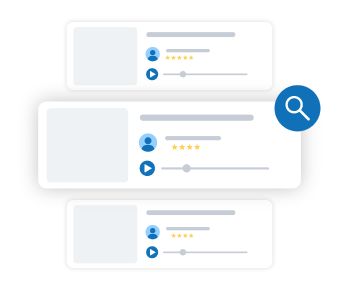
Browse & Buy
Browse through our extensive list of talent packages to find a package that suits your needs. Or, hire instantly with preset prices and guaranteed delivery times.
Browse Packages
Get Customized Service
Our Managed Services team can handle your complex projects from start to finish. We’re fully equipped to take care of talent sourcing, NDAs, translation and more.
Talk to an ExpertBrowse Top Talent or Editor’s Picks
Hire the perfect talent and work closely with them to bring your job to life.
Or, skip the back-and-forth by purchasing packages with upfront costs and timelines.
Top Talent
See More Talent
Kevin Welch

Voices Verified
This Talent has been verified by the Voices Team.
Top Talent
Top Talent are those who have completed 100 or more jobs on Voices, with 10 jobs booked in the last year and an overall 4-star rating.

David Edwards Media
Voices Verified
This Talent has been verified by the Voices Team.
Top Talent
Top Talent are those who have completed 100 or more jobs on Voices, with 10 jobs booked in the last year and an overall 4-star rating.

Alexis Kubin
Voices Verified
This Talent has been verified by the Voices Team.
Top Talent
Top Talent are those who have completed 100 or more jobs on Voices, with 10 jobs booked in the last year and an overall 4-star rating.
Editor’s Package Picks
See More Packages

Voices Verified
This Talent has been verified by the Voices Team.
Top Talent
Top Talent are those who have completed 100 or more jobs on Voices, with 10 jobs booked in the last year and an overall 4-star rating.

What I offer
Geniunie, Gal Next Door Voice Over for Radio Ad
Voices Verified
This Talent has been verified by the Voices Team.
Top Talent
Top Talent are those who have completed 100 or more jobs on Voices, with 10 jobs booked in the last year and an overall 4-star rating.


Voices Verified
This Talent has been verified by the Voices Team.
Top Talent
Top Talent are those who have completed 100 or more jobs on Voices, with 10 jobs booked in the last year and an overall 4-star rating.
What Our Clients Say
From big projects, tight-deadlines and quick turnarounds, Voices can bring the perfect talent to you.
See Our Client Success StoriesDEMO DUCK
1 Minute Explainer Video
24 hr Turnaround
OLIVER AGENCY
3 X 1 Minute Online Ads
3 Day Turnaround
MOMENT FILMS
30 Second Television PSA
24 hr Turnaround
DEMO DUCK
1 Minute Explainer Video
24 hr Turnaround
OLIVER AGENCY
3 X 1 Minute Online Ads
3 Day Turnaround
MOMENT FILMS
30 Second Television PSA
24 hr Turnaround



Get Voice Over Work
Our members get access to 1000s of voice over jobs monthly. Create your profile and start booking voice over work today.
Unlock new opportunities
Create a new network of clients
Develop your portfolio
Build your online reputation